Stockity Contact
Writen By

Online Trading Platform Researcher and Guide Writer
Researches broker platforms and trading account Systems.
Need help with a failed deposit, verification hold, login problem, or platform error? Reaching Stockity’s support team quickly and with the right details reduces delays and prevents repeated back-and-forth. Knowing which channel handles your issue — live chat for quick troubleshooting, email for longer cases, or phone for urgent account access — helps you pick the fastest path to resolution.
This page summarizes practical contact options, expected response patterns, and what to prepare before you reach out: account ID, transaction references, clear screenshots and recent correspondence. It also explains basic safety steps to protect your login and how to track or escalate a support request if responses are slow or incomplete, so you can resolve account, payment, and verification problems with less stress.
This page summarizes practical contact options, expected response patterns, and what to prepare before you reach out: account ID, transaction references, clear screenshots and recent correspondence. It also explains basic safety steps to protect your login and how to track or escalate a support request if responses are slow or incomplete, so you can resolve account, payment, and verification problems with less stress.

Stockity Live Chat Support
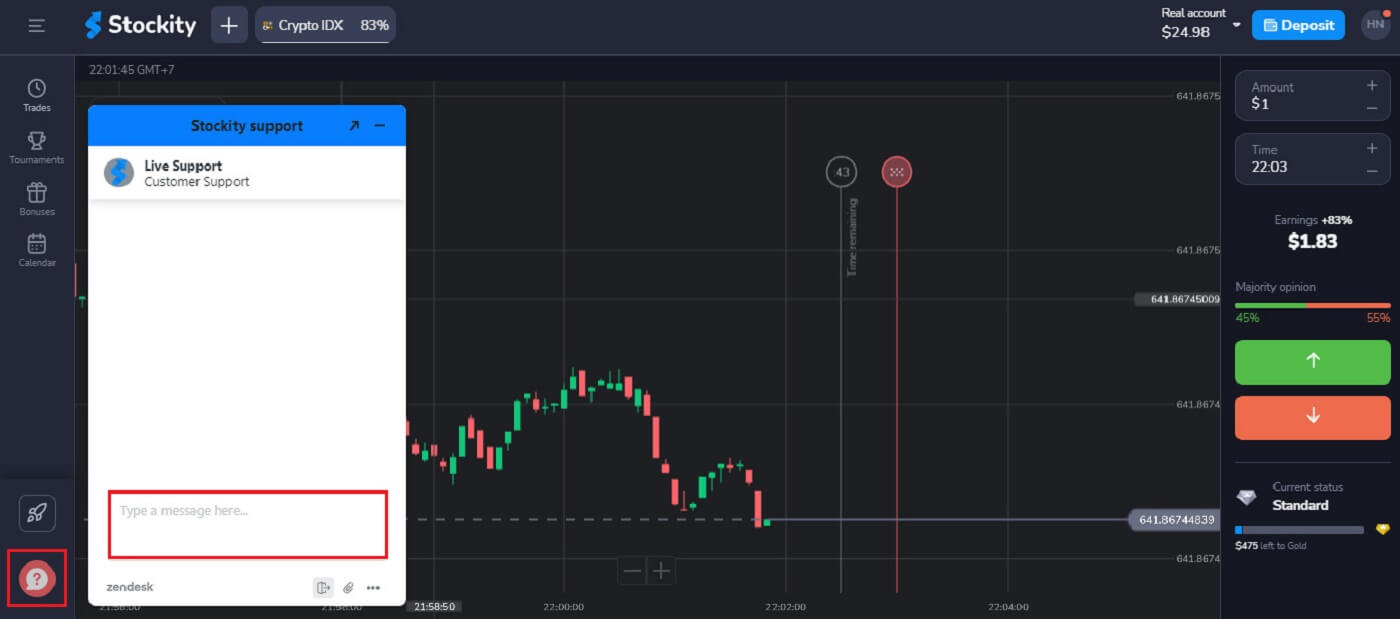
One of the most convenient ways to contact Stockity Broker and promptly resolve any concerns is to use the online chat option, which provides assistance around the clock. The main advantage of the chat is how fast you may get a response from Stockity; it takes about two minutes.
Go to the Stockity website, and click the pink symbol button on the down left corner. Then, type a message.
Stockity Contact via Email (address)
Another simple method of communicating with the platform is via email. You can write them at [email protected] if you’re not searching for a speedy fix and believe the contact form might not function because of problems with the platform as a whole.
The Stockity staff will be able to locate your account and help you more quickly if you use the same email address as you used to sign up.
Address:
- Caracol Ltd.
- Trust Company Complex, Ajeltake Road, Ajeltake Island, Majuro, Marshall Islands, MH96960.
Attention:
- The Client’s contacts are their email address, indicated when registering on the Website, and the phone number indicated in their Personal Account on the Company Website if the Client wishes to indicate it.
- The Company is not responsible for incorrect indication by the Client of their contact information on the Website.
Which is the fastest way to contact Stockity?
Using the online chat feature will get you an answer from Stockity the quickest.
How fast can I get a response from Stockity support?
If you write via online chat, you will receive a response in a few minutes, and if you write by email, it will take approximately a day to receive a response.
Stockity Help Center
Navigate to the symbol in the picture below located in the left corner of the Stockity website.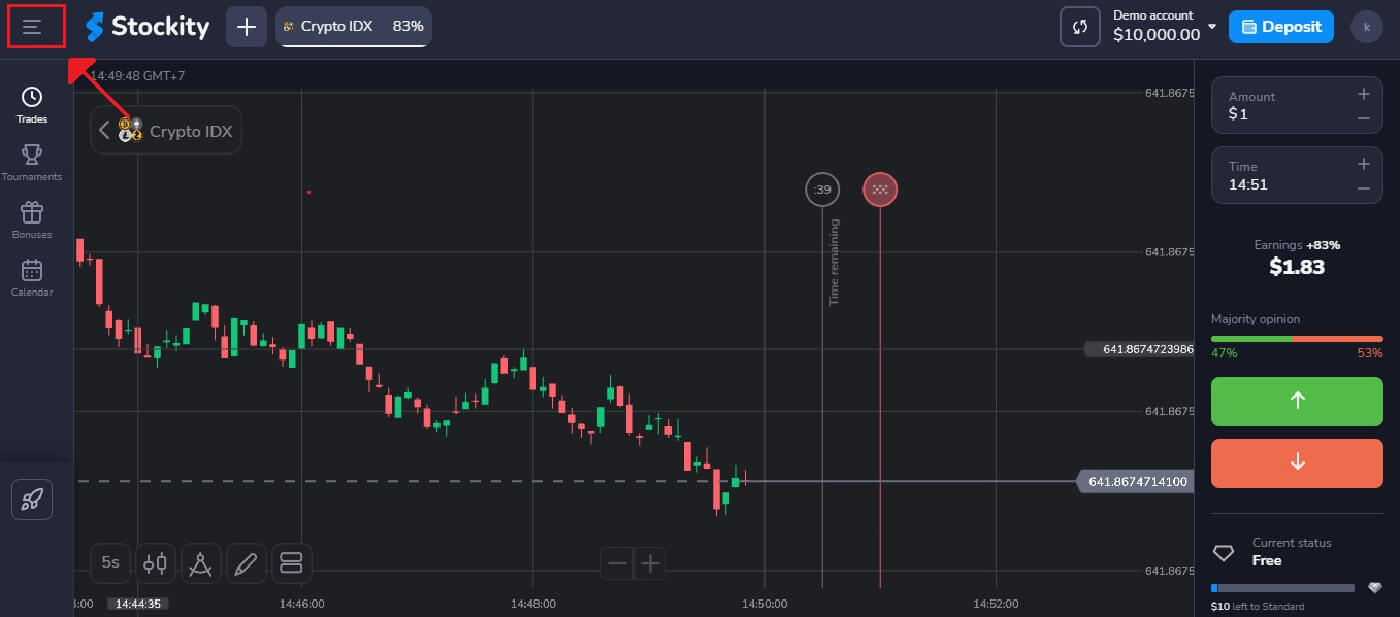
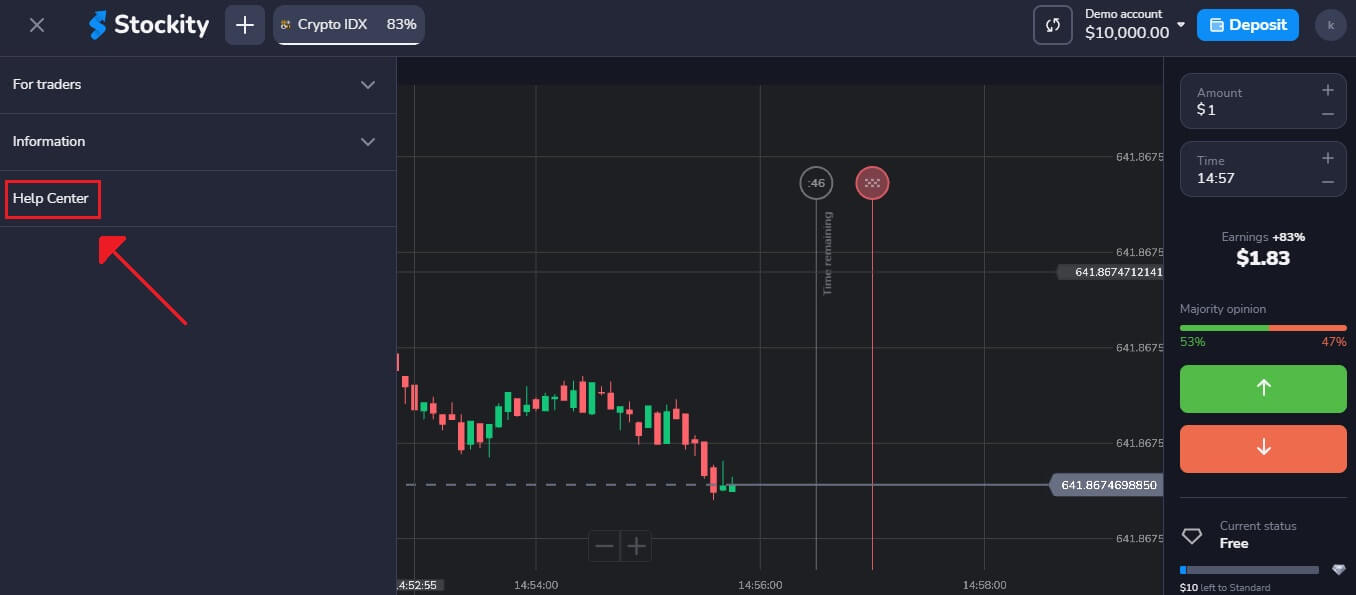
Select "Help Center" after that.
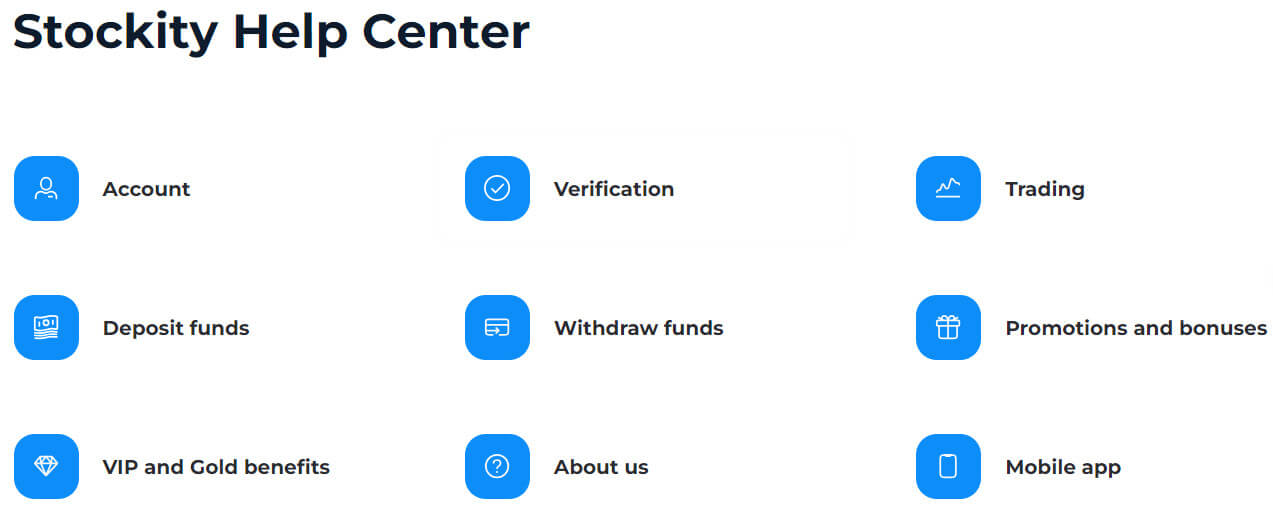
Millions of traders throughout the globe have found Stockity to be a trustworthy broker. Given the size of Stockity’s FAQ and the likelihood that someone else has already asked your question, chances are good.
Best Practices for Contacting Stockity Support
- Be Specific and Brief: Give a brief explanation of the issue or question you are asking. Don’t provide unnecessary information that could confuse the support team.
- Provide Relevant Information: Include any relevant account information, order numbers, screenshots, and error messages. This information can significantly speed up the resolution process.
- Keep Your Cool and Act Professionally: Always communicate with support workers in a cool, collected manner, even when you’re frustrated. Courtesy discourse promotes positive encounters.
- Follow-Up: If you haven’t heard back from them after a reasonable amount of time, don’t be afraid to follow up with your inquiry. Use sensitivity when following up with correspondence.
Conclusion: Stockity Support Provides Prompt Assistance
Stocking places a high premium on customer satisfaction and goes above and above to give every trader a range of contact options. With the assistance of the brokers, traders of all skill levels can take pleasure in the entire trading procedure.Stockity offers an array of contact options, including online chat and email, to facilitate the best customer support. Even if the other modes of communication can take longer, speaking with them over the phone and through web chat can happen in less than two minutes.
FAQs
How do I submit a support ticket for account verification or KYC issues? From your account dashboard open the Help or Support section, choose Verification/KYC as the topic, attach required documents (ID, proof of address, payment screenshots), add transaction IDs and a concise description, then submit. Keep copies of uploaded files and note the ticket number for follow-up.
What documents does Stockity require when contacting support about verification? Typical requests include a government-issued photo ID (passport or national ID), a recent utility or bank statement showing your name and address, and a selfie or live liveness check. Files should be clear, unedited, and within the platform’s size limits; incomplete or expired documents will delay approval.